Skip to content
Abutic

NFC cards · iPhone and Android

Tap here.
Connect instantly.

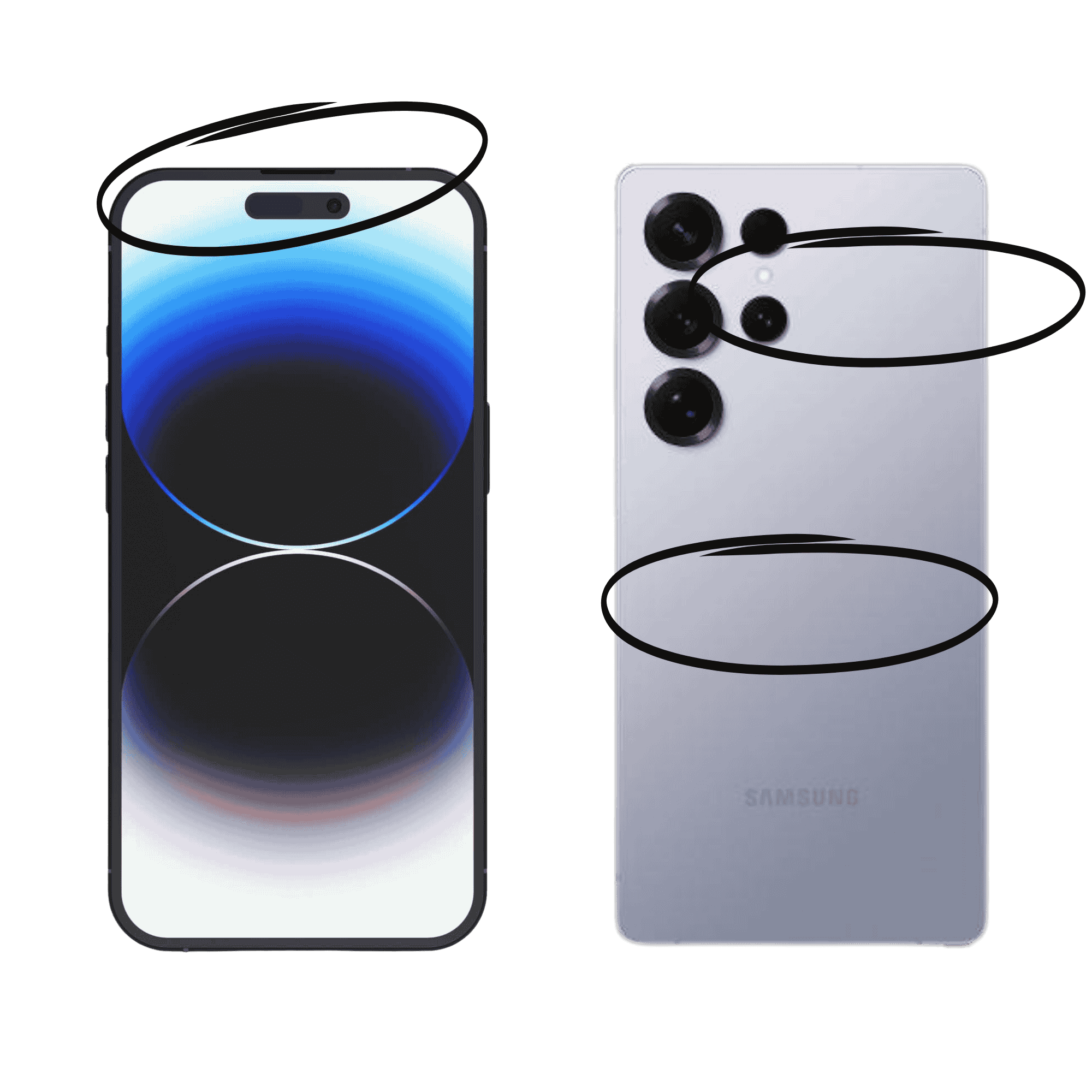
The card works best when it touches your phone’s NFC sweet spot. Pick your phone below — we’ll show you exactly where.

01

Use the top edgeTouch the card to the very top of your iPhone, near the front camera.

  • Noapp needed
  • 1–2seconds
  • Screenawake

How it works

No app. No pairing. Just tap.

  1. 01

    Wake your phone

    Unlock the screen. You don’t need to open an app or the camera.

  2. 02

    Touch the sweet spot

    Place the card directly against the highlighted area — not several inches away.

  3. 03

    Open the notification

    Hold for a moment, then tap the banner that appears on screen.

The detail that matters

Every phone hides its reader somewhere different.

On iPhone it’s along the top edge. Most Android phones read near the camera or upper-middle back. Slowly move the card over that area if the first position doesn’t trigger.

Screen awake Card touching phone Hold 1–2 seconds
NFC reader locations on an iPhone and Android phone

If nothing happens

Try these if you’re having trouble

01 Move to the correct spot

Start at the phone’s top edge or camera area and move the card slowly. The reader is small, so an inch can make the difference.

02 Remove a thick case

Metal plates, magnetic wallets, PopSockets, and especially thick cases can block or weaken the NFC signal.

03 Check Android NFC

Open Settings and search “NFC.” Make sure NFC or contactless interactions are enabled. iPhones keep NFC enabled automatically.

04 Test another phone

A second phone quickly confirms whether the issue is positioning, a device setting, or the card’s programming.

05 The chip may still be blank

If nothing appears on any phone, create a free Abutic profile or vCard, then program that link onto the card.


Give the tap a destination

The card only opens a link. Make it a great one.

An Abutic profile is the best thing to put on the chip — custom URL, analytics, and live updates. Or start with a free vCard in two minutes, then program the card.

Write the link to the chip

Then program the card in about two minutes.

Got a profile or vCard URL? Our visual walkthrough shows every tap — from installing NFC Tools to writing your link.

Open programming guide

Real help, from a real person

Still stuck? We’ll get it working.

A person at Abutic will help you find the sweet spot or program the card.